
Everything you need to process ATO correspondence.
From direct ATO integration to AI-powered email drafting and secure document storage.
Join waitlist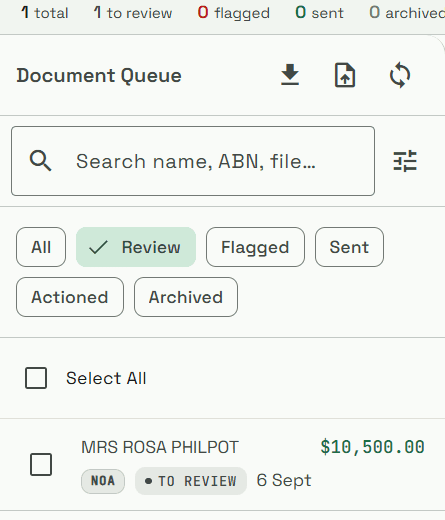
Documents arrive automatically.
ATOque connects directly to the ATO via SBR2 — the same secure channel used by major practice management systems. New correspondence is fetched on a schedule. No portal logins, no ZIP exports, no manual steps.
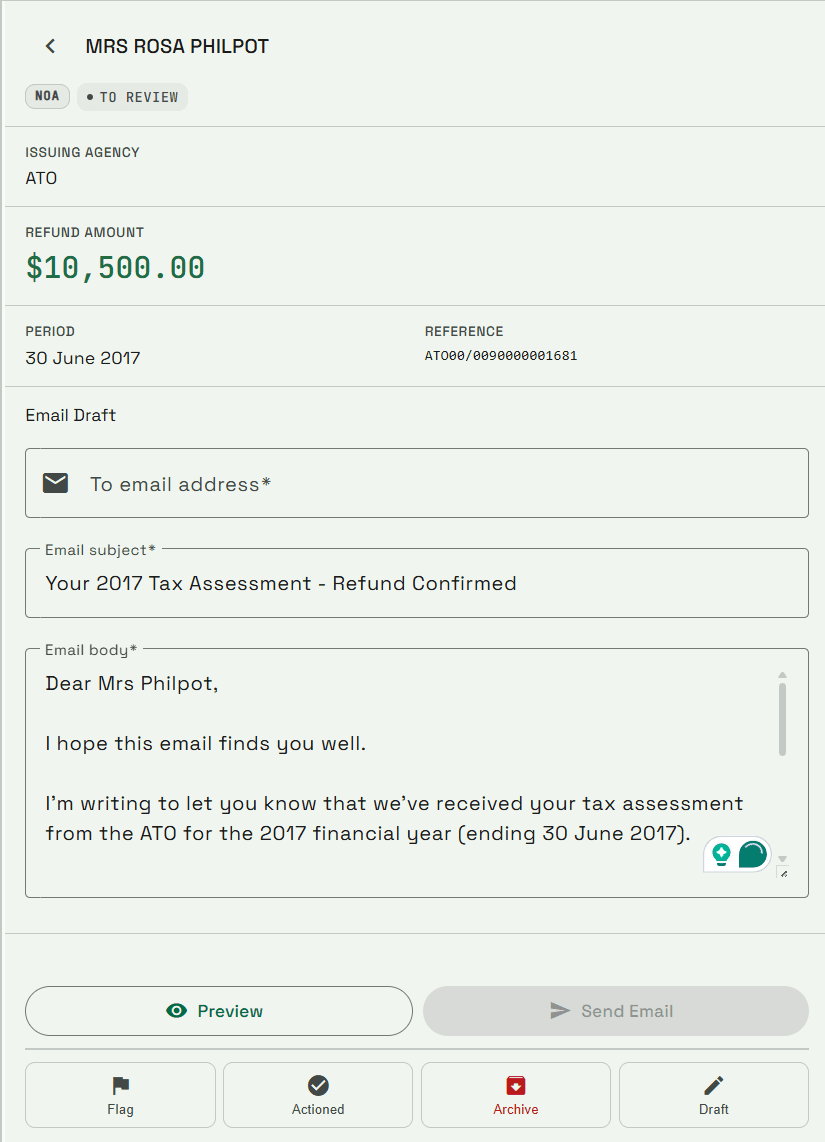
Every document read and summarised.
Gemini classifies each document (NOA, BAS, SOA, Debt, Super), extracts key fields — amounts, due dates, BPAY details — and generates a plain-English summary. Confidence score surfaced so agents can spot anything needing a second look.
TFNs redacted before anything else happens.
Tax File Numbers are detected and redacted at the PDF binary level — before storage, before AI processing, before any transmission. The original unredacted PDF is never stored. This isn't a nice-to-have; it's a legal requirement under the Privacy (Tax File Number) Rule 2015.
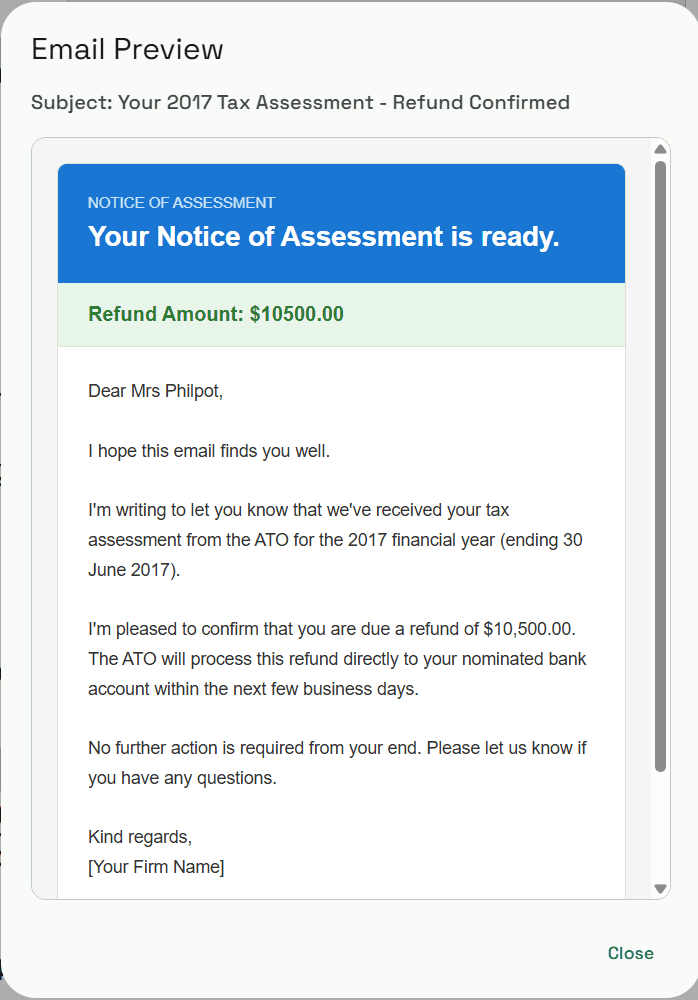
Client email drafted. You just review and send.
A plain-English email is generated for each document type — with the correct amounts, due dates, BPAY biller code and reference. The agent previews, edits if needed, and clicks send. Nothing goes out automatically.
A complete record of every action.
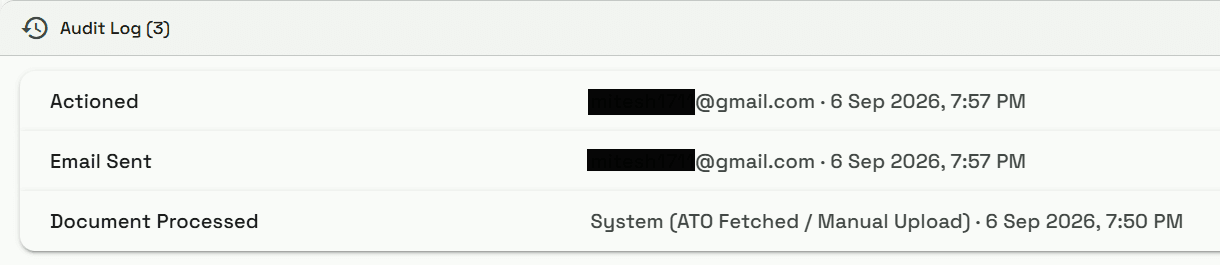
Every document received, every email sent, every agent action — logged, timestamped, and attributed. Append-only: no editing, no deleting. Exportable to CSV. Satisfies ATO OSF audit log requirements.
The right access for every team member.
Admin, Agent, and Viewer roles. Admins manage the team and settings. Agents process documents and send emails. Viewers can see the queue but can't send. MFA enforced on every account.
| Role | Access |
|---|---|
| Admin | Full access including team management, billing, and system settings. |
| Agent | Can view, assign, resolve documents, and send client emails. |
| Viewer | Read-only access to document queues and audit logs. |